Tuesday, August 21, 2012


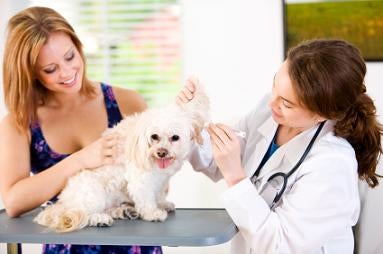
DENTAL CARE: HOW TO CLEAN YOUR DOG'S TEETH


  • Apply the toothpaste to the brush and then push it down into the bristles
  • Choose a time when your dog is settled. Sit him down quietly, either on the floor or for a small dog, on your lap.
  • Place your left hand across the bridge of the nose or muzzle, with a finger or thumb under the chin to keep the mouth closed. Gently lift the top lip and insert the toothbrush inside the cheek. The most important place to brush is at the gum line.
  • The goal is to brush the outside surfaces of all the teeth in a systematic way. Initially your dog may not co-operate for long enough; if so, start brushing at a different position in his mouth each time.
  • Start by cleaning the back teeth, particularly the upper ones and then the canine teeth. Once the dog is happy to accept this, progress to the front teeth. 
  • Brushing the inner surfaces of the teeth can prove to be difficult. If you are unable to do this, do not despair. Providing the rest of the teeth are reasonably clean and healthy, the tongue will do quite a good job of this.
  • Move the brush in gentle circular motions. DO NOT scrub the teeth. 
  • Toothbrushing should be carried out daily. 
  • If your pet has very inflamed gums (gingivitis), your vet may advise that you use a dental gel or solution containing chlorhexidine to improve the gums. Chlorhexidine works best when combined with daily toothbrushing to remove the debris.
  • Remember, there is no point wrestling with your dog. Try to make it an enjoyable experience. If your dog behaves well, reward him with a small healthy treat.


Source Link- http://www.dogstrust.org.uk/az/d/dentalcare/howtocleanyourdogsteeth09.aspx#.UDNn1aogfpA

Read more »


Dog Wash : How To Clean Your Canine


Once upon a time we only washed the dog once a year when the smell became unbearable, with a hose in the backyard.
These days, with many more people living in apartments and dogs being inside with their owners more often than not, bathing is becoming a more frequent (and necessary) event.
Shampoos, meanwhile, have evolved to the point where they not only remove the smell but can also be used to help treat a number of skin conditions. And the common availability of hydro-baths and dog groomers makes bath time a lot simpler for everyone!
The first rule of dog bathing is not to use a human shampoo. The pH of dog skin is very different to that of human skin. While our skin has a pH of around 5.5 to 5.6, your dog's skin is much more neutral, averaging a pH of between 6.2 and 7.4.1 Shampoos formulated for humans are much more acidic than those for dogs, and using a human shampoo can upset the balance of a dog's skin.
The particular shampoo you choose for your dog depends on the reason for the bath. There are good all-purpose cleansing shampoos, and then there are medicated or therapeutic shampoos, which treat a range of skin conditions or help control fleasticks or both.
There are shampoos available for treating dry skin, oily skin, scaly skin or doggy dandruff, itchy skin andinfected skin. The mechanical action of washing a dog, including applying and lathering up the shampoo and rinsing it off with water, in itself helps to remove dead skin cells, loose hair and bacteria or fungi as well as removing allergens on the skin. And a good shampoo will assist no end in removing the smell!
How often a dog is washed also depends on the reason for the bath. Generally, dogs are designed to be self-cleaning. Dead skin cells and dirt are carried along the hair shafts and flick off the ends, so many dogs will only require occassional bathing. There is no recommended frequency for bathing a healthy dog, but it should certainly not be carried out more than once a week.
However dogs with skin problems do not self-clean as efficiently, and dirt, bacteria and skin secretions may build up... which is where the smell begins. Inflamed skin is warmer and moister than normal skin, and excess skin secretions provide a good source of nutrition, creating perfect conditions for bacteria or fungi to proliferate. Such dogs may require bathing anywhere up to every day or every other day, depending on the product and the skin condition.
There are different types of therapeutic shampoos including:
  • soap-free, pH-neutral shampoos containing substances such as oatmeal or aloe vera. These are great for normal or itchy skin, helping the cleanse the skin as well as soothe and reduce inflammation.
  • shampoos containing selenium sulfide, which are designed to remove that doggy dandruff.
  • shampoos containing antiseptics such as chlorhexidine, which can help to treat bacterial skin infections such as hot spots.
  • shampoos containing antifungal agents such as miconazole or ketoconazole, which can be useful in treating for fungal skin infections
  • shampoos and rinses containing pyrethrins or permoxin, useful for short-term flea and tick control.
When applying a therapeutic shampoo, the water should only be tepid as inflamed skin can be made much itchier when bathed in hot water. The shampoo should only be lathered on to the skin, avoiding eyes and ears. Some people put cotton wool balls into their dog's ears to stop water getting in. If you choose to do thismake sure you do it very gently and do not force it down into the ear canal.
Most shampoos then need to be left on the skin for five to 10 minutes before being rinsed off. During this time, keep your pet occupied by patting or, if in the backyard, perhaps playing with a ball.
After the appropriate time ensure all the shampoo is thoroughly rinsed off, as any residue can become itchy or sticky and cause the coat to look dull when it dries. The fur will often 'squeak' between your fingers when all the shampoo residue has been removed.
If you are going to use a conditioner, let the dog have a shake to remove excess moisture or give it a quick towel dry, then apply. Conditioners help with untangling and ensuring a smooth coat, just as they do in human hair. Some are also therapeutic. Some conditioners need to be rinsed off, others can be left in the coat.
Lastly, dry the dog. Some pets will let you use a hair dryer, others may sit near a heater or outside in the sun to speed up the drying process. A good towel dry will get the excess water out to start with.
Make sure you brush the coat as it is drying, as there will be lots of loose hair to remove and this helps to bring the water to the tips of the fur where it can dry more easily.
Praise your dog for being so cooperative during the bath, to reinforce bath time as a positive experience which he or she will want to repeat.


Read more »

Monday, August 20, 2012

Bing Gets Gussied Up for Windows 8 Integration


Microsoft has has optimized its Bing search engine for the upcoming release of its Windows 8 operating system.
Bing has been completely reimagined for a new user experience on Windows 8, which was released to developers yesterday.
Microsoft modeled the Bing updates on the modern design principles of Windows 8, adding features like autosuggest and tap-and-swipe navigation through a horizontal list of search results. By adding smart captions and image previews, Microsoft hopes that searchers will find it easier to get quick answers.
Not everything about Bing will change, though. Its homepage and hover points will remain, as will the collage-like image search returns. A quick tap or click on any of the photos sends the user into full-screen preview mode.
The new Snap feature allows the user to throw the Bing window onto the side of the screen, placing it side-by-side with your chosen Internet browser, allowing you to continue searching without ever leaving Bing.
Six Bing-powered apps are already integrated into Windows 8, so if your query falls into the maps, weather, news, finance, sports, or travel categories, the apps provide added access to that information.
The app will be available for PCs and tablets running Windows 8 on Oct. 26, the official launch date of Windows 8.

Read more »


Here's what Ubuntu on Android looks like. Could you use it?

Ubuntu wants to put a full Linux desktop on your Android phone. It works, but does it work for you?


When Ubuntu for Android was announced in late February, the general reaction and news coverage felt familiar. Whenever a company announces the Future of Computing, but doesn’t show said future device operated by actual humans, there’s a pause, a “Huh,” and then the sound of new browser tabs being opened to look at anything else.
But now there’s video of Ubuntu on Android running at a trade show, warts and all. It’s compelling, because it does not look like the employee from Canonical, Ubuntu’s corporate backer, is running any special demonstrations or using specially configured hardware. There’s an Android model set into a dock, a cable running to a monitor, and a version of Ubuntu’s free Linux-based desktop running. All the standard Linux apps are there, LibreOffice takes the usually disheartening amount of time to load—but then you notice that you can text, launch Android apps, and take phone calls through that Android phone while you’re in the desktop app. Pretty neat.

Let’s back up a bit. Ubuntu on Android is a concept Ubuntu is trying to sell to Android phone makers, enterprise-level customers, and peripheral manufacturers. You can see Ubuntu’s pitch and explanation of features and specifications on their site. The idea is that a full, slightly modified installation of the Ubuntu desktop is stashed on the storage of a multi-core Android phone. Whenever that phone is set in a dock and connected to a monitor, that Ubuntu installation comes to life and runs. The Android phone becomes just a very small computer, and the owner gets the full desktop experience of keyboard, mouse, and big screen.
The snappiness and space depend on each phone, of course, but with most major new Android smartphones arriving with at least dual cores and at least 32 GB of space available to users, Ubuntu is a feasible option. Watch the demonstration video, and you’ll see that browsers open fairly quickly, and app switching is fairly fast. This has something to do with the solid-state nature of Android storage, but also Ubuntu’s relatively lightweight nature. There are definitely delays, especially when switching from Android to Ubuntu and back again from dock plugging, but it’s early-stage software that can hopefully be optimized.

Okay, great, it works—who’s going to use it? Ubuntu wants to sell companies on the idea of providing employees with docks and monitors as a space-conserving, money-saving alternative to giving everyone desktops. They also suggest that a docked Ubuntu/Android device can “Satisfy demand for first PCs to families in emerging economies with no legacy wired connectivity.” There’s a “clamshell” pitch to be made, much like the small but growing market for iPad cases and docks that offer laptop-like keyboards. Finally, handset makers can pitch along the lines of “Buy a phone, get an entire computer for free!” (goofy emphasis mine).
I’ll definitely want to try it, but then again, I’m an incorrigible nerd and open-source admirer. There’s some nice phone/desktop interactivity offered in an Ubuntu/Android setup, but selling productive people who have no patience or proclivity for terminal typing will be tough. Tougher, perhaps, than selling either Ubuntu or Android alone.
It’s an interesting time to be an Ubuntu or Android enthusiast. Can you see yourself relying on an Android phone as your single computing device?


Read more »


            How To Scan A Document And Then Edit It


Q:
 How do I scan a document into my computer so    that I can alter it?


A:
 Hello there! There are a couple of different ways that you can scan a paper document into your computer and edit it. Generally, when you scan a document into your computer the resulting document will be in portable document format (PDF) format, which is difficult to edit by design; this file type was created to provide a secure method of file transfer. Basically you can use an optical character recognition (OCR) program, which will allow you to convert your scanned document to Microsoft Word or a similar program or a program like Adobe Professional, which will allow you to edit the PDF itself.

OCR
So how does OCR work? The OCR program “reads” the scanned document, and matches the elements that it sees with an internal library of characters; letters, numbers, spaces, etc. OCR programs available include, OmniPage Pro, Microsoft Office Document Imaging, and ABBYY FineReader. Once the application has matched the contents of the scanned document to elements in the library, the application produces an editable document, usually in Microsoft Word, or some other editable format such as a text file. This process sounds great, but often it does not work as smoothly as described above. Programs vary in their matching ability, so documents will generally require clean up once they are converted. Graphics, stamps, and tables generally cause the most clean up work.

PDF Editing Software
There are several PDF editing software packages available such as Adobe Professional, Foxit PDF and Infix PDF. Depending on the software you choose, you will have different editing abilities in your PDFs. Some editors allow you to fully edit all text in the PDF while some allow you only limited editing capabilities such as limited insertion points and field limits.

Your overall process for creating an editable electronic version of a paper document will be something like this:
1. Follow the directions included with your scanner to scan your paper document.
2. Locate the newly created scanned document on your computer.

OCR
1. Open your scanned document with the OCR application.
2. Follow the programs instructions regarding converting your PDF to an editable file.
3. Save the OCRed file in an editable format.
4. Clean up the document.
5. Edit as desired.

PDF Editing Software
1. Open your scanned document in the PDF editing software of your choice.
2. Use the tools included in the software to make your edits.
3. Save your edited document as a new PDF.

Hopefully this information will set you on your way!

Read more »